For the latest updates and improvements in production, open docs.codacy.com instead.
Configuring your organization#
Once you've added your organization to Codacy, it's important that you align it with your corporate policies and configure it to match the coding conventions and best practices that your team may already be following or that you want to promote. It's also critical to review the configurations to avoid reporting false positives or any other issues that don't bring value to your team, which can introduce unwanted delays to the development process.
To configure your organization, follow these steps:
- Configuring repository management permissions
- Assigning organization manager role
- Defining gate policies
- Defining coding standards
- Configuring default Git provider integration settings
- Adding repositories
1. Configuring repository management permissions#
Define the Codacy roles that can configure patterns, analyzed languages and branches, ignore issues and files, and reanalyze branches and pull requests.
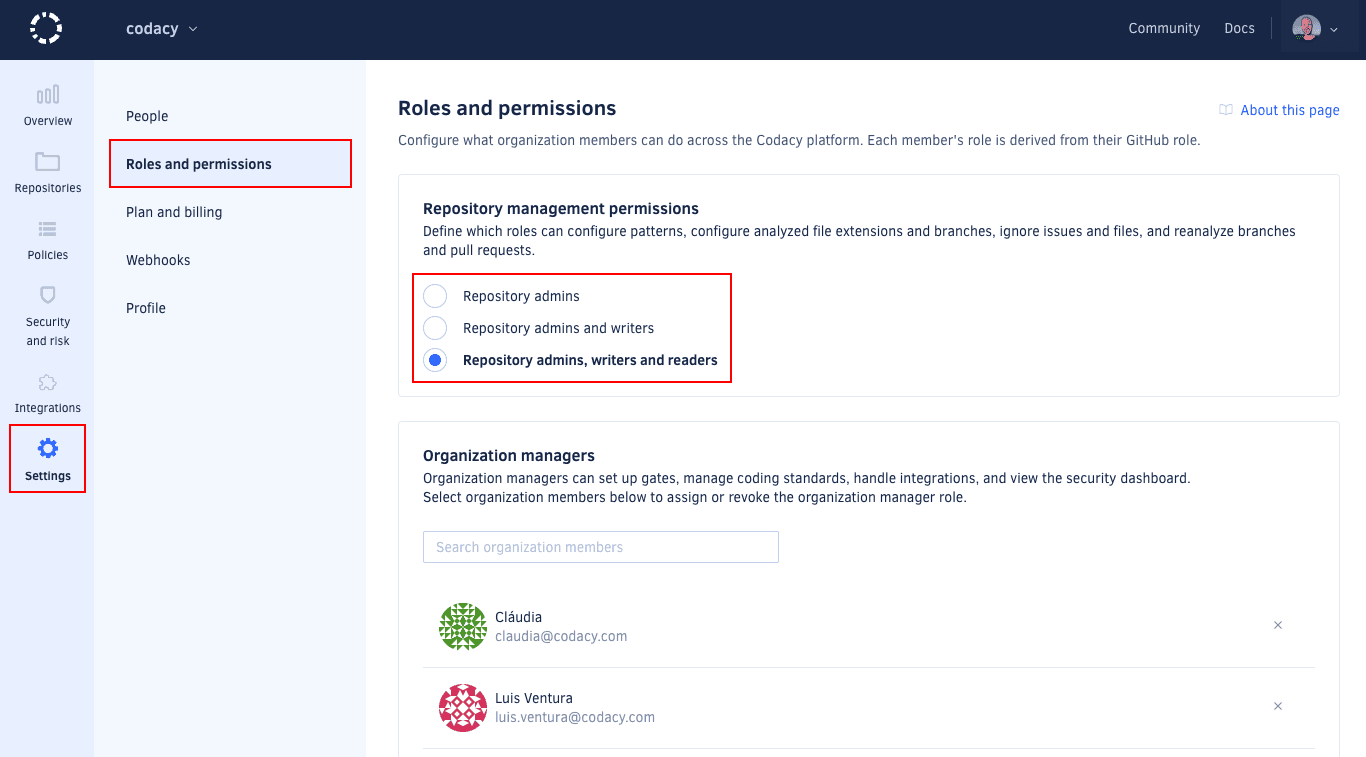
2. Assigning the organization manager role#
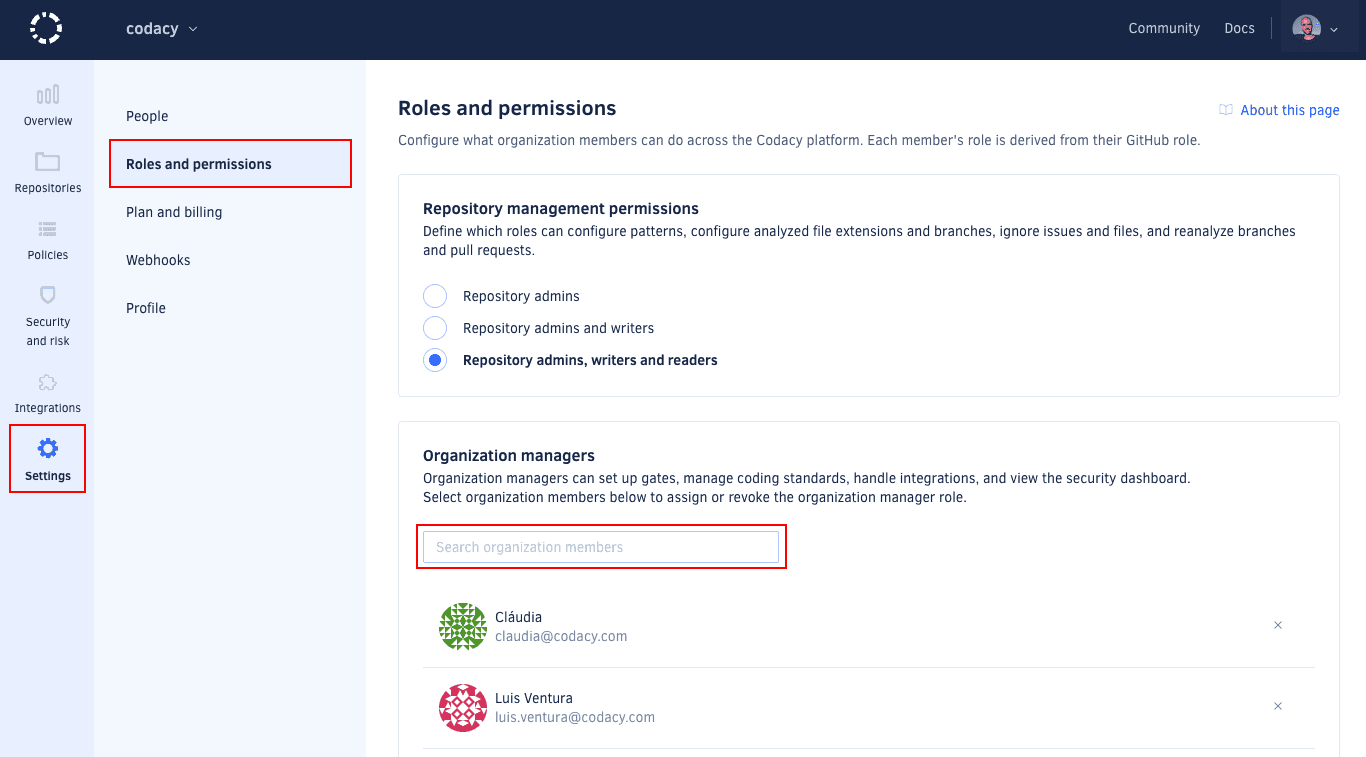
Assign the organization manager role to members of your organization to grant them additional permissions without changing their permissions on the Git provider. For example, they will be able to manage your organization policies and integrations.
3. Defining gate policies#
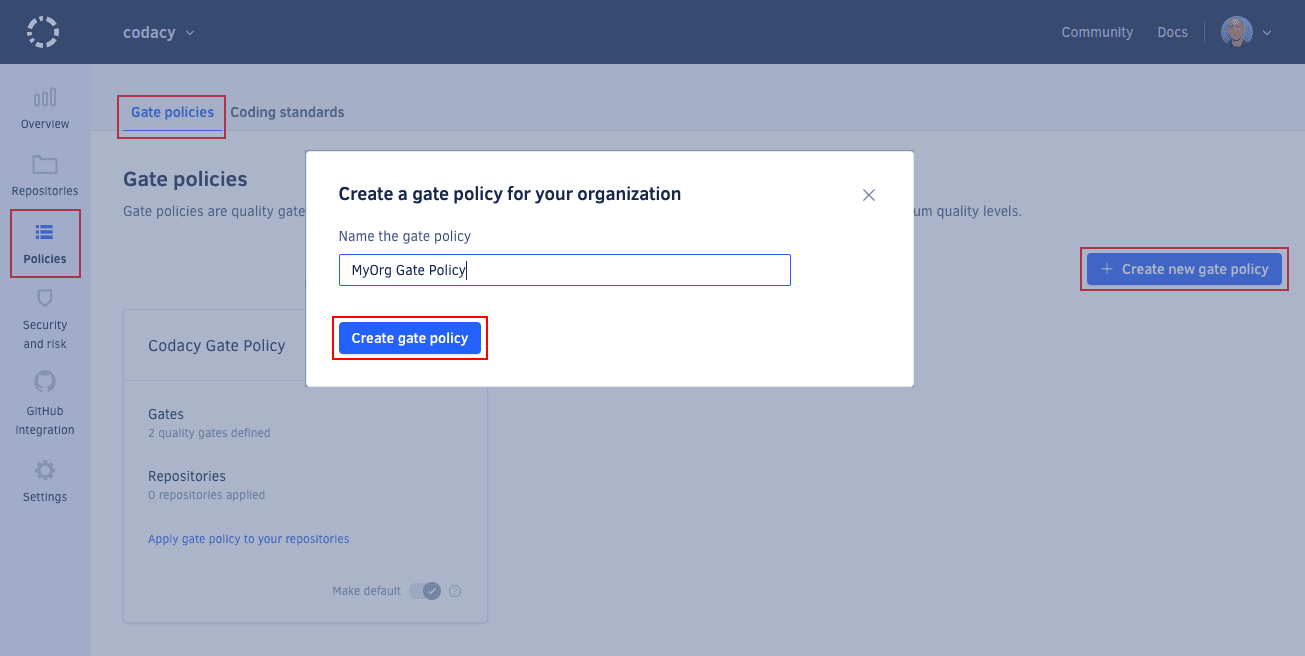
Define gate policies to ensure that Codacy uses the same quality gates across your organization repositories.
4. Defining coding standards#
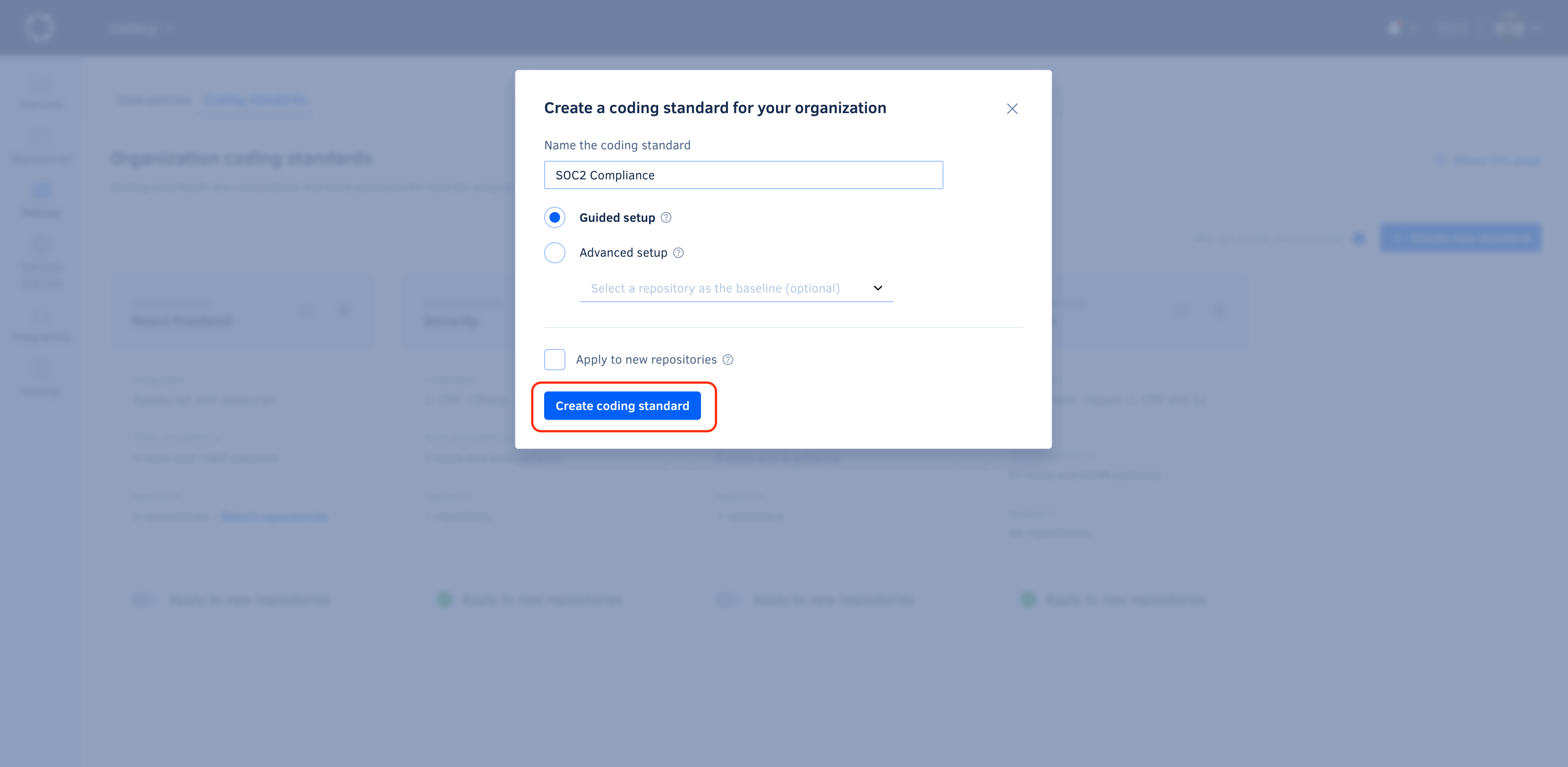
Define coding standards to ensure that multiple repositories consistently follow the same global tool and code pattern configurations.
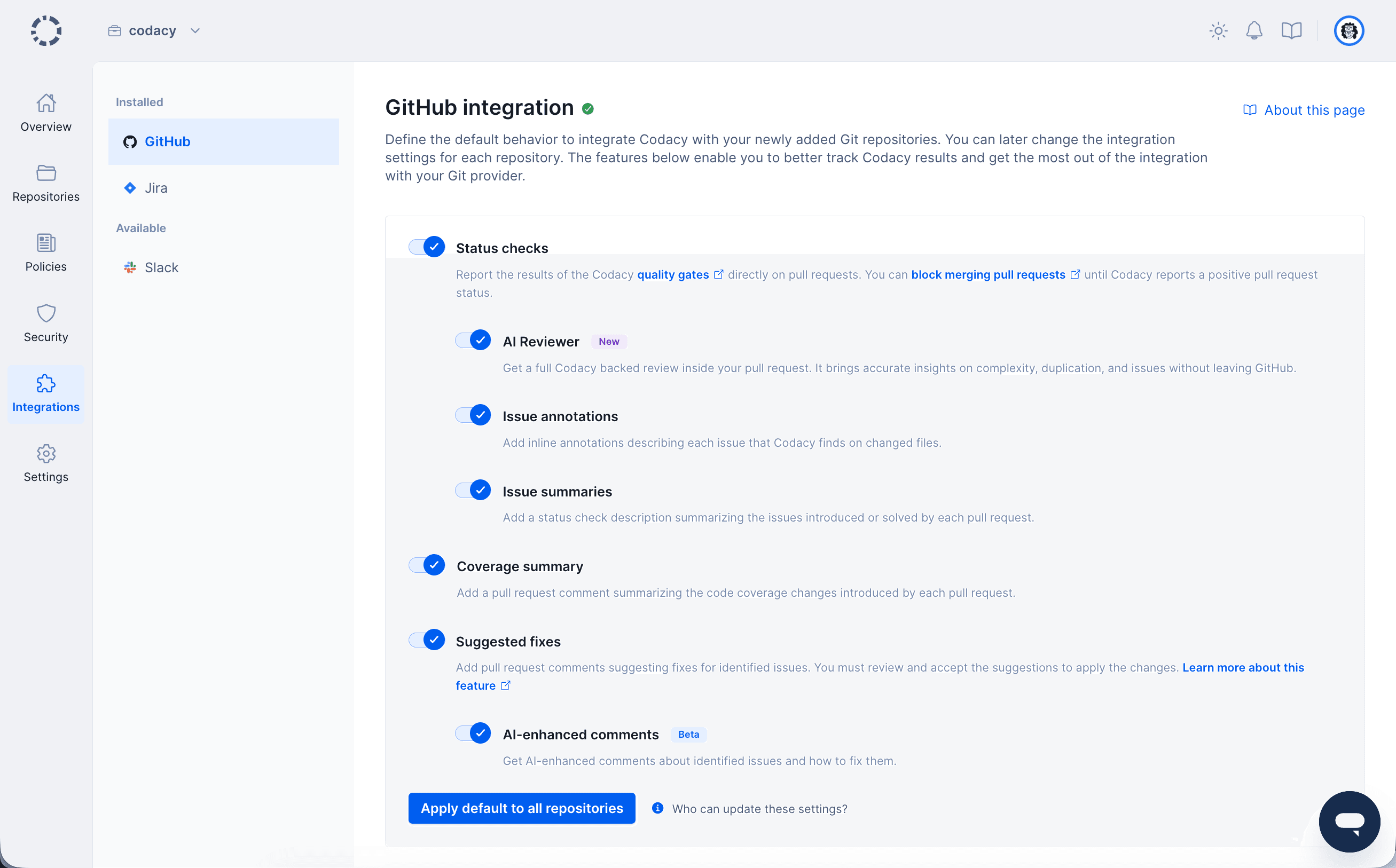
5. Configuring default Git provider integration settings#
Configure the default settings that Codacy uses to integrate with your Git provider when you add a new repository to Codacy. This enables you to apply the same settings across your organization repositories.
6. Adding repositories#
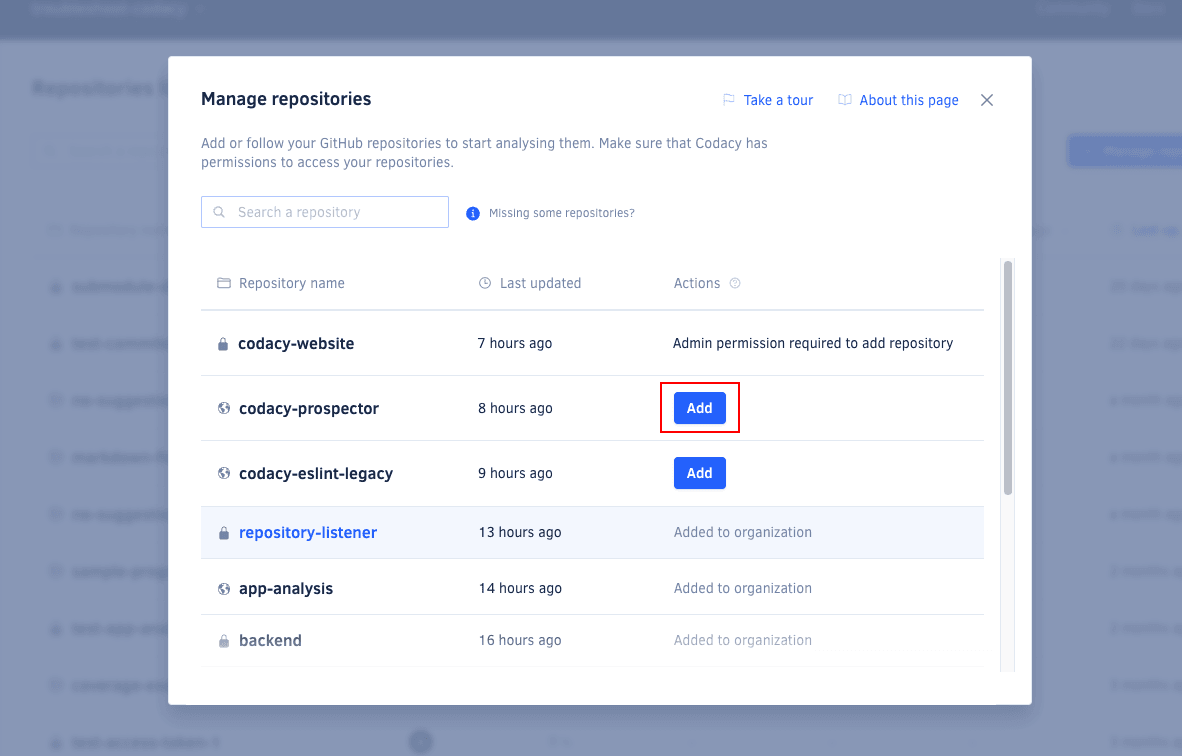
Next, add the repositories that you wish to analyze. Codacy begins an initial analysis as soon as you add a repository and sets everything up to ensure your next commits on that repository are analyzed.
Note
You can only add repositories on Codacy if you have the necessary permissions on your Git provider.
Click the repository name to navigate to the repository dashboard and see the code quality overview of your repository as soon as the initial analysis is complete:
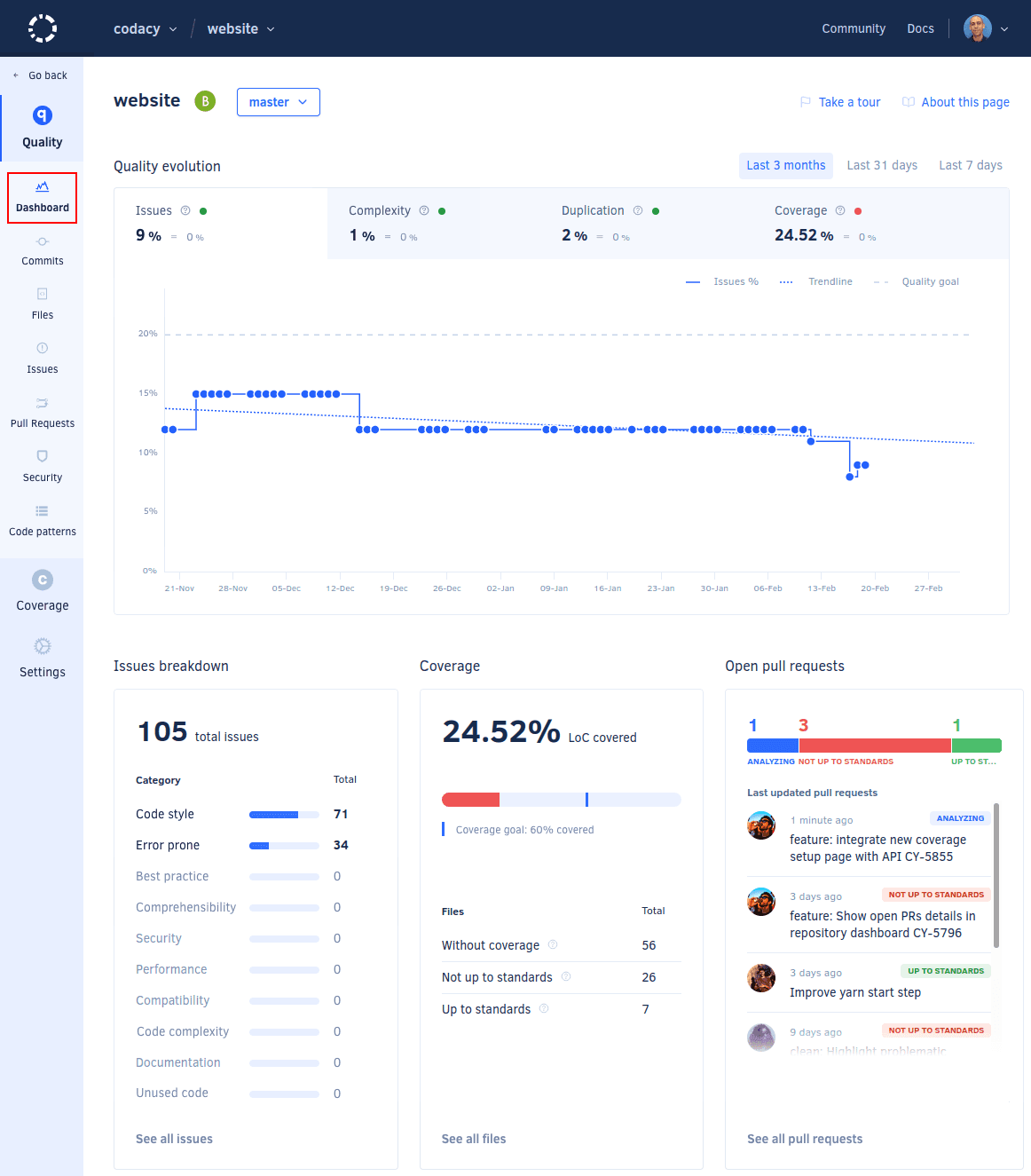
To explore the initial analysis results, check the Issues page.
Next steps#
The first analysis is based on the organization policies and standards that you previously defined, or Codacy defaults if you haven't defined your own policies. This ensures consistent code quality across your repositories. It's now important that you configure specific rules for each repository to integrate code analysis seamlessly into your existing pipeline.
Share your feedback 📢
Did this page help you?
Thanks for the feedback! Is there anything else you'd like to tell us about this page?
255 characters left
We're sorry to hear that. Please let us know what we can improve:
255 characters left
Alternatively, you can create a more detailed issue on our GitHub repository.
Thanks for helping improve the Codacy documentation.
Edit this page on GitHub if you notice something wrong or missing.
If you have a question or need help please contact support@codacy.com.